Visual explanations for modern automotive key technology
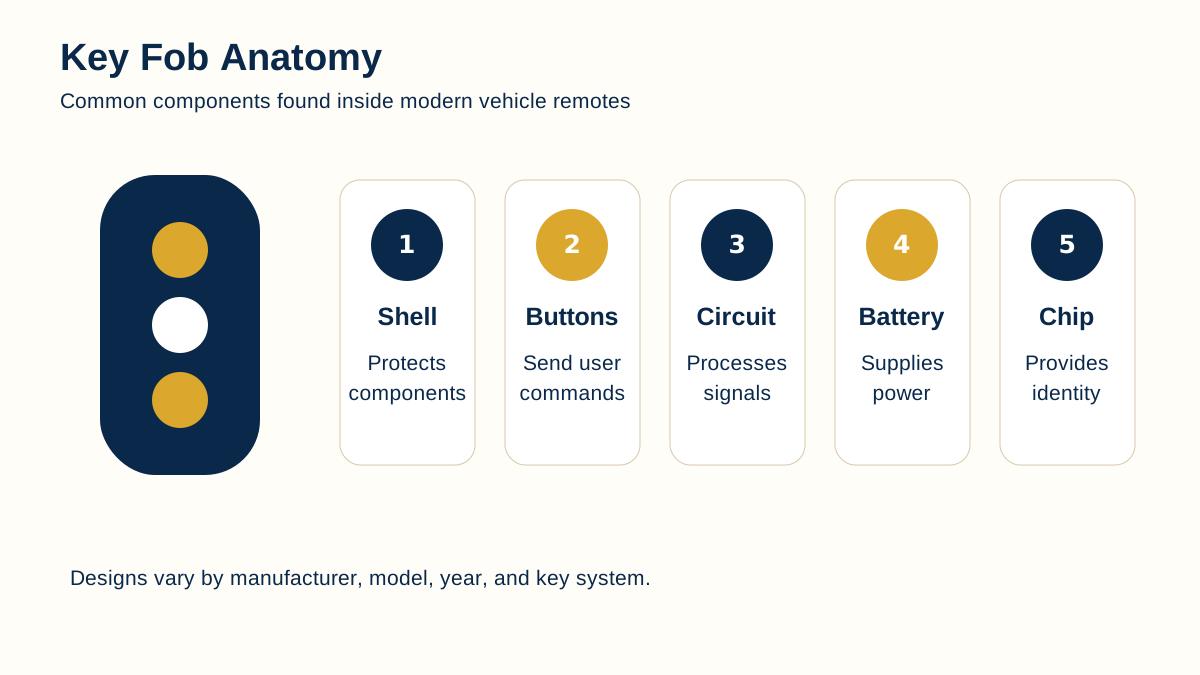
Modern vehicle keys combine mechanical parts, electronic identification, wireless communication, immobilizer authorization, and vehicle-specific programming. That can make even a simple question about a key fob, smart key, or “No Key Detected” warning feel more complicated than it needs to be.
This Rich Media Library organizes those concepts visually. Each resource focuses on one system or process and combines the graphic with plain-language explanation so drivers can understand what is happening without having to read a technical manual first.
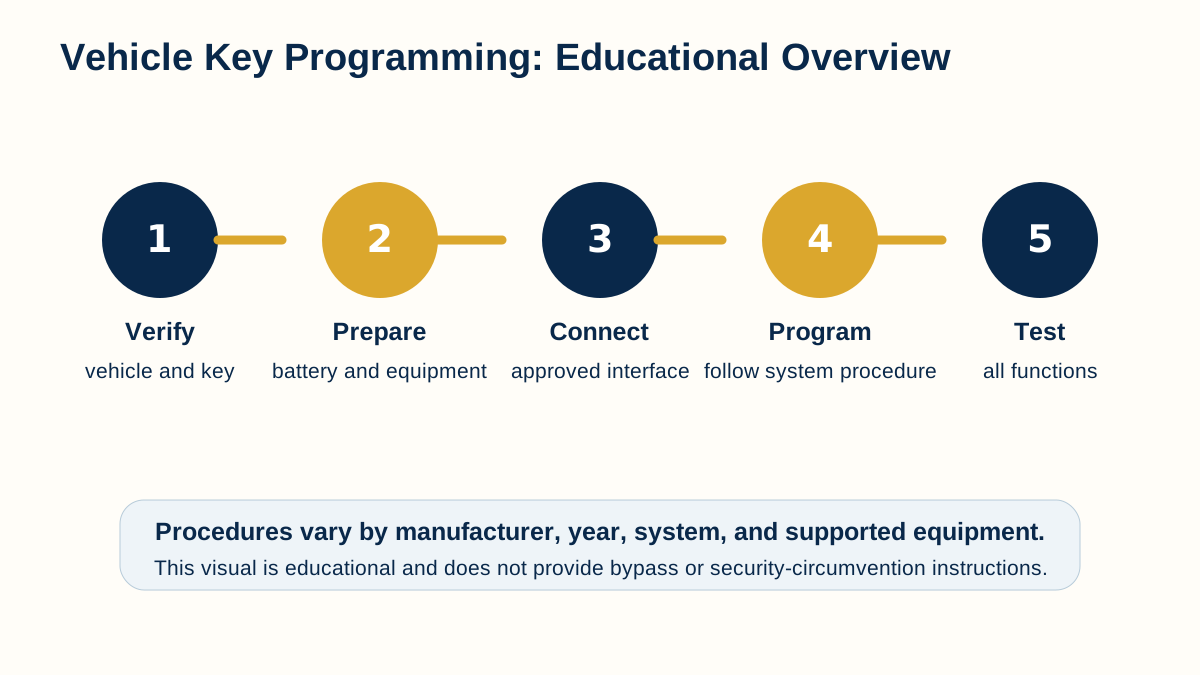
The visuals are educational. They do not replace manufacturer procedures, professional diagnostics, ownership verification, or vehicle-specific service information.
How to use these visual guides
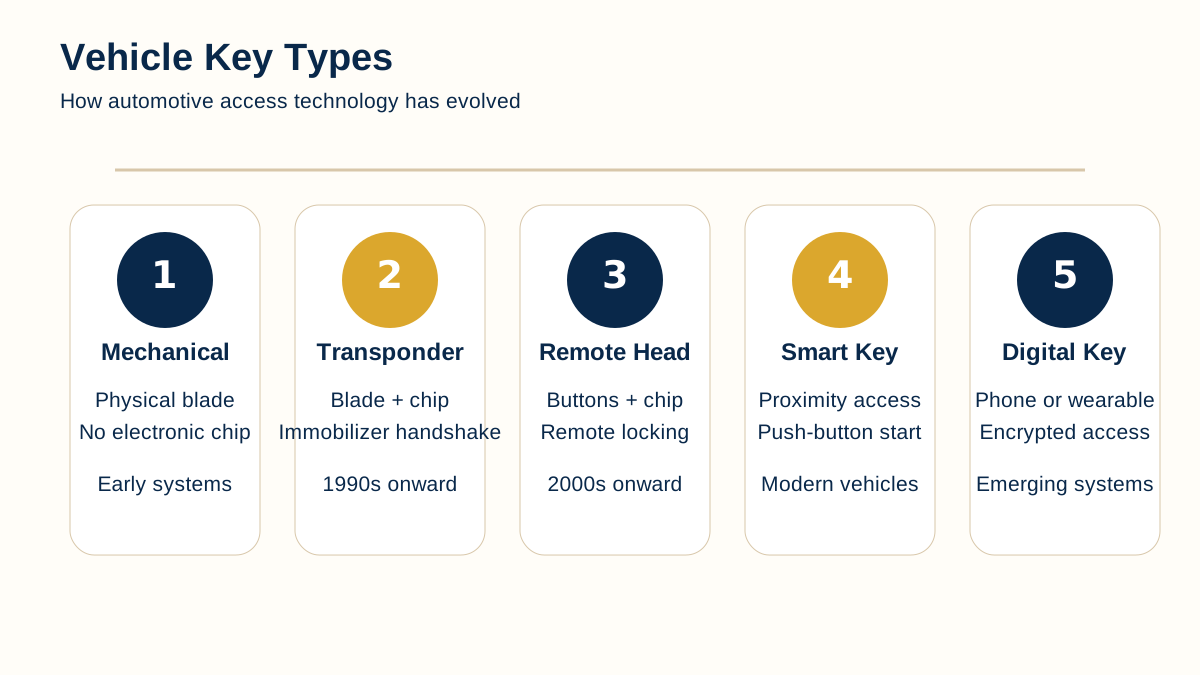
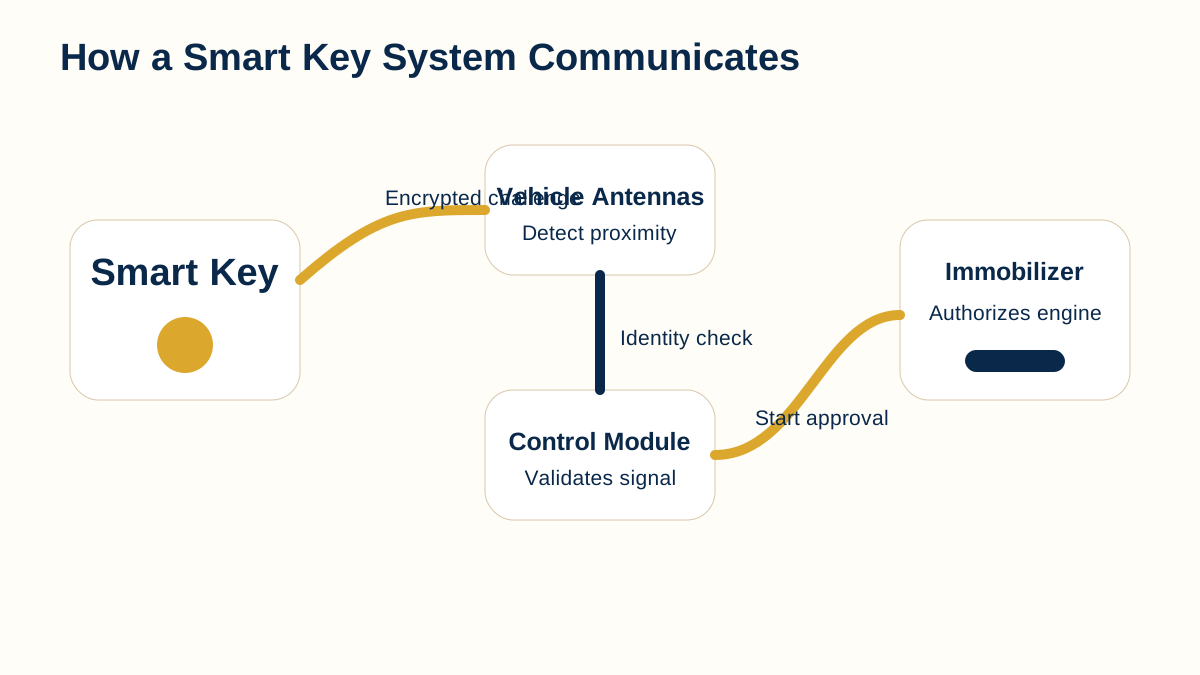
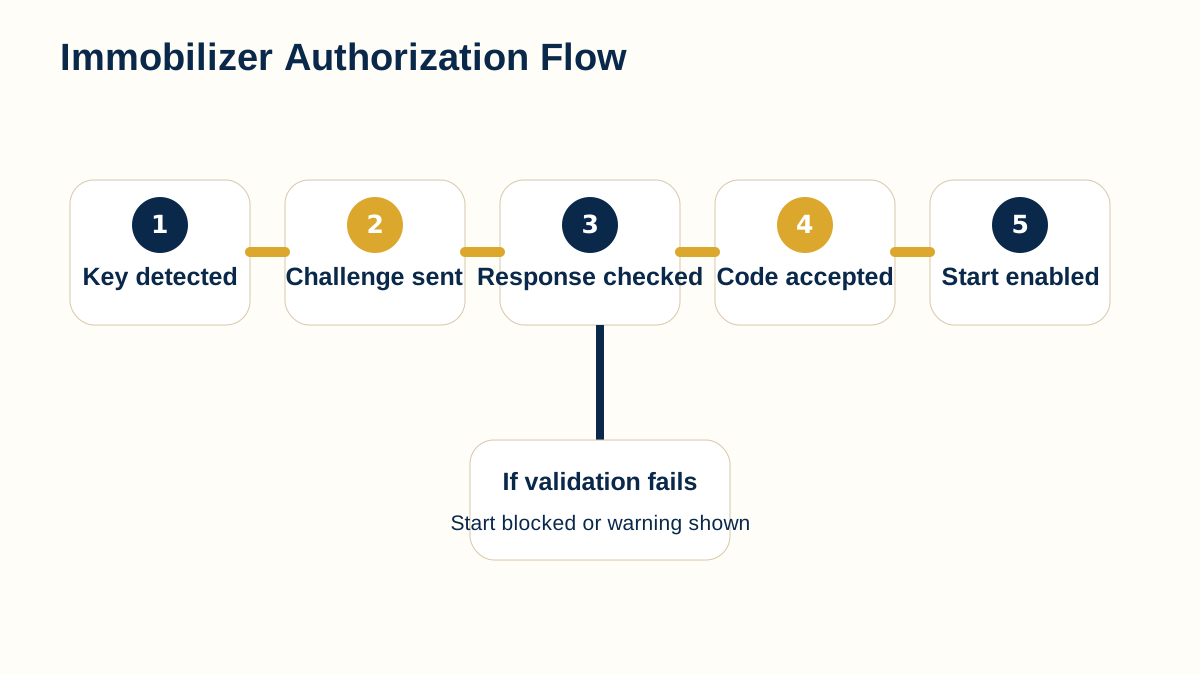
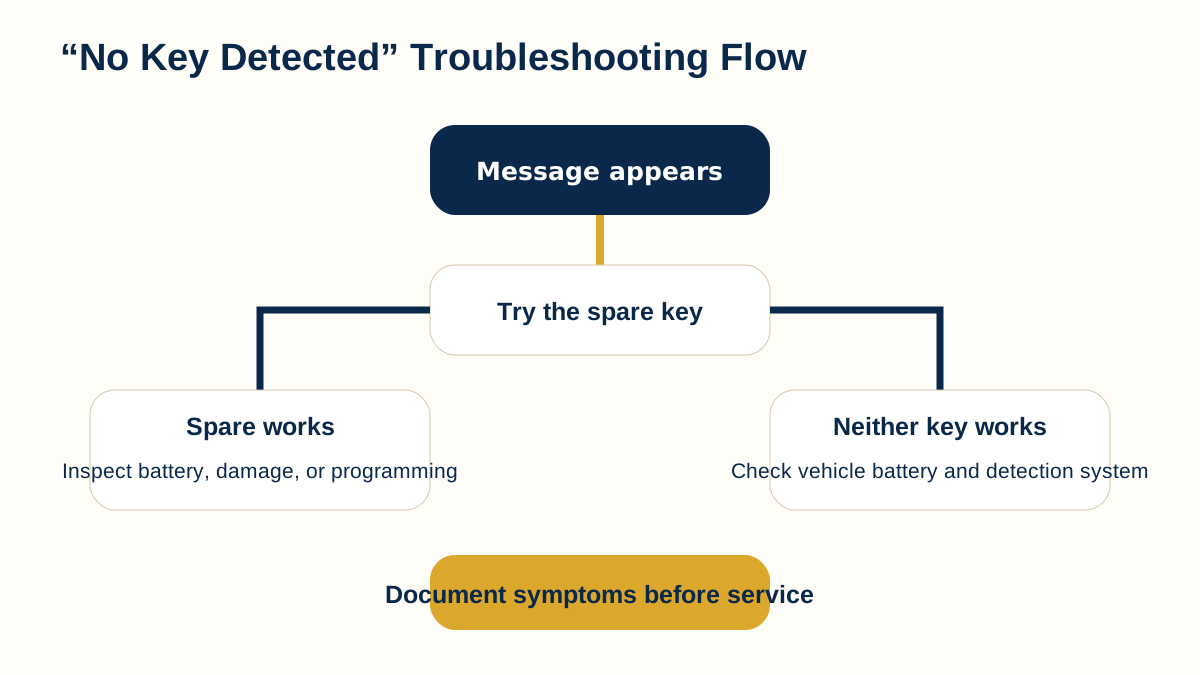
Start with the visual that most closely matches the question you are trying to answer. If you are unsure what type of key you have, begin with Vehicle Key Types. If the vehicle displays a warning, the troubleshooting flowchart may provide a clearer starting point. For smart-key or push-button-start questions, the communication and immobilizer diagrams provide useful background.
- Use the graphics to understand the major parts and relationships in a system.
- Read the supporting explanation for terminology, limitations, and practical context.
- Use the Research Library and Knowledge Center when you need deeper written information.
- Confirm vehicle-specific details before purchasing replacement keys, fobs, or electronic components.
Continue learning
Return to the Media Center →
Open the Research Library →
Open the Knowledge Center →
Open Interactive Tools →