Key Fob Anatomy: What Is Inside a Modern Automotive Key Fob?
Learn what is inside a modern automotive key fob, how its shell, buttons, circuit board, battery, antenna, and identity components work together, and what commonly fails.
Educational visual created for AutoLocksmith.LLC. Vehicle systems vary by manufacturer, model, year, and equipment.
Overview
A modern key fob may look like a small plastic remote, but inside it is a compact electronic system that can combine remote locking, passive entry, immobilizer identity, and push-button-start functions. The exact design varies by manufacturer and model, yet most fobs share several common building blocks. Understanding those parts helps drivers describe problems more clearly, recognize simple battery-related issues, and avoid buying an incompatible replacement based only on appearance.
The outer shell and mechanical structure
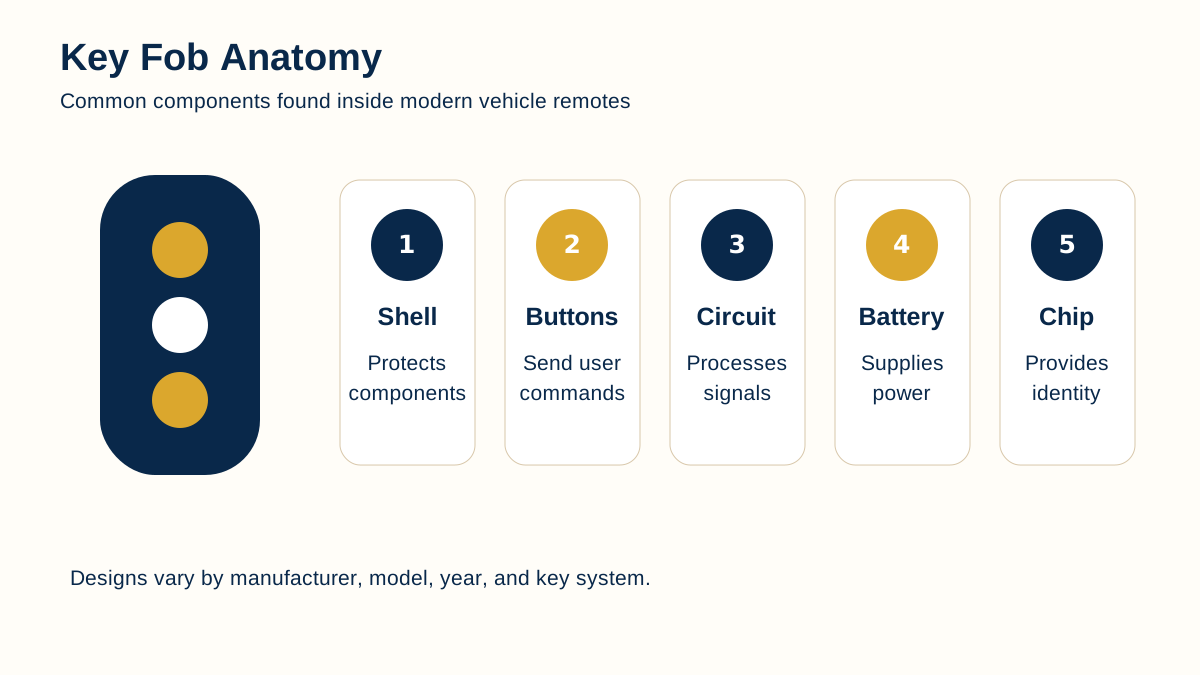
The shell protects the electronics from normal handling, pockets, key rings, and light moisture exposure. It also holds the battery, buttons, seals, and sometimes an emergency metal key. Cracked shells, missing button pads, damaged key-ring loops, and broken battery doors can allow movement or contamination that eventually affects the electronics.
A replacement shell can sometimes restore the physical housing while preserving the original circuit board and programmed identity components. That is different from replacing the entire fob. A shell that looks identical is not automatically correct because button spacing, battery orientation, emergency-key dimensions, and circuit-board mounting points can differ.
Buttons and button contacts
Lock, unlock, trunk, panic, and remote-start buttons usually press flexible pads or small switches on the circuit board. A worn external button can make the fob feel unresponsive even when the electronics are still working. Internal switches can also wear, detach, or become contaminated.
Repeatedly pressing harder is not a reliable repair strategy. If one button fails while the others continue to work, the problem may be local to the button mechanism rather than the entire fob.
Circuit board and electronics
The printed circuit board is the working platform for the fob. It carries the controller, radio components, battery contacts, switches, and other parts. Physical damage, corrosion, broken solder joints, or contamination can interrupt power or communication.
Because the board may carry vehicle-specific electronics, moving it to another shell is very different from replacing it with a random board. Replacement electronics must be compatible with the vehicle and may require programming or registration.
Battery and power path
Many remote and smart-key functions rely on a small coin-cell battery. A weak battery can reduce operating range, make button operation intermittent, or trigger a low-key-battery warning. Battery size, orientation, and contact pressure matter.
Some immobilizer functions can remain possible even when the remote battery is weak because certain systems use a separate passive identification method. That is why a fob may stop locking doors remotely yet still be recognized by the vehicle under specific backup conditions.
Identity chip, transponder, and smart-key credentials
Many keys and fobs contain an identity element that allows the vehicle to decide whether the presented key is authorized. In traditional transponder systems this may be a distinct chip. In smart-key designs the identity function may be integrated into the electronics.
This authorization role is separate from the shape of the shell. Two fobs can look nearly identical while using different frequencies, protocols, identifiers, or vehicle applications. Compatibility must be confirmed before programming or replacement.
Antenna and radio communication
The fob must send, receive, or respond to radio signals depending on the system design. Small antenna structures on or near the circuit board support that communication. Range problems can result from a weak battery, damaged electronics, environmental interference, vehicle-side issues, or simple distance and obstruction.
A short operating range does not automatically prove the fob is defective. The vehicle receiver, surrounding interference, and battery condition can all affect performance.
Common failure patterns drivers notice
Symptoms often include reduced range, one dead button, intermittent locking, a “key not detected” message, the need to place the fob close to a backup detection point, or complete loss of response. Water exposure and impact damage can create intermittent faults that are difficult to diagnose from appearance alone.
If a spare fob works normally, comparing behavior can help narrow the problem. If both fobs act the same way, a vehicle-side condition or interference becomes more plausible.
Before replacing a key fob
Confirm the vehicle year, make, model, trim, and key system. Note whether any working key remains and record any identifying information from the original fob when safely available. Avoid purchasing a replacement solely because the case looks correct.
A professional may need to verify compatibility, cut an emergency key, program the electronic identity, and test all functions. Replacement should end with a complete functional check rather than assuming success because one button works.
What drivers can learn from the cutaway view
The cutaway view is useful because it separates problems that are often lumped together as “the fob is bad.” A cracked case, weak battery, worn button, damaged switch, corroded board, or incompatible replacement can produce different symptoms and may require different solutions. Looking at the parts as separate systems encourages a more careful description of what works and what does not. For example, if the emergency blade works and the vehicle starts but one remote button fails, that pattern is different from a fob that is not recognized at all.
Drivers can also use the illustration when comparing an original key with a proposed replacement. The graphic is not a part-number guide, but it makes clear why housing shape alone cannot establish compatibility. Internal electronics and security credentials matter just as much as the outer case.
Questions to answer before service
Before requesting key-fob service, note whether every button fails or only one, whether the operating range has changed, whether the vehicle displays a key warning, whether a spare fob behaves differently, and whether the fob has been dropped, wet, or opened recently. These observations give a technician useful starting information without requiring the driver to diagnose the electronics.
It is also helpful to know whether the request is for a replacement shell, a complete replacement fob, an emergency key blade, or programming. Those are different jobs even though they all involve the same object in the driver’s hand.
Key takeaways
A key fob is both a physical housing and an electronic security device.
Battery, buttons, circuit board, identity components, and radio communication can fail independently.
Visual similarity does not establish compatibility.
A working spare key is useful for comparing symptoms before replacement.
Continue learning
Use these related AutoLocksmith.LLC resources to continue from the visual into broader driver education and technical background.
Professional automotive key help when you need it.
AutoLocksmith.LLC provides education and referral guidance. For supported mobile automotive key and vehicle-security services, contact Wood's Automotive Locksmith.
When you call, mention that you found the service through KEYRING to receive $10.00 off your bill